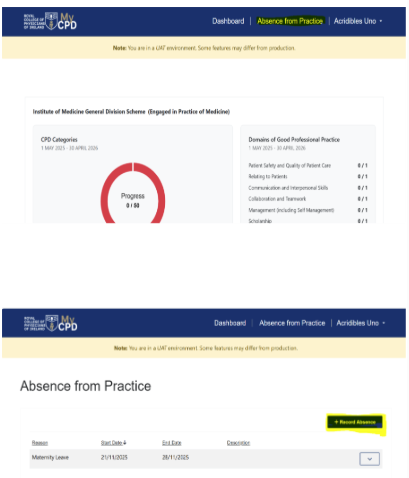
To record an absence from practice:
- Locate the Top Navigation Bar on the MyCPD homepage.
- Click on the “Absence from Practice” button in the top right corner (next to Dashboard).
- Follow the on-screen instructions to enter the details of your absence.

Modified on: Wed, 14 Jan, 2026 at 8:52 AM
To record an absence from practice:
Did you find it helpful? Yes No
Send feedback