After successful login you will see your Account and your Digital services page
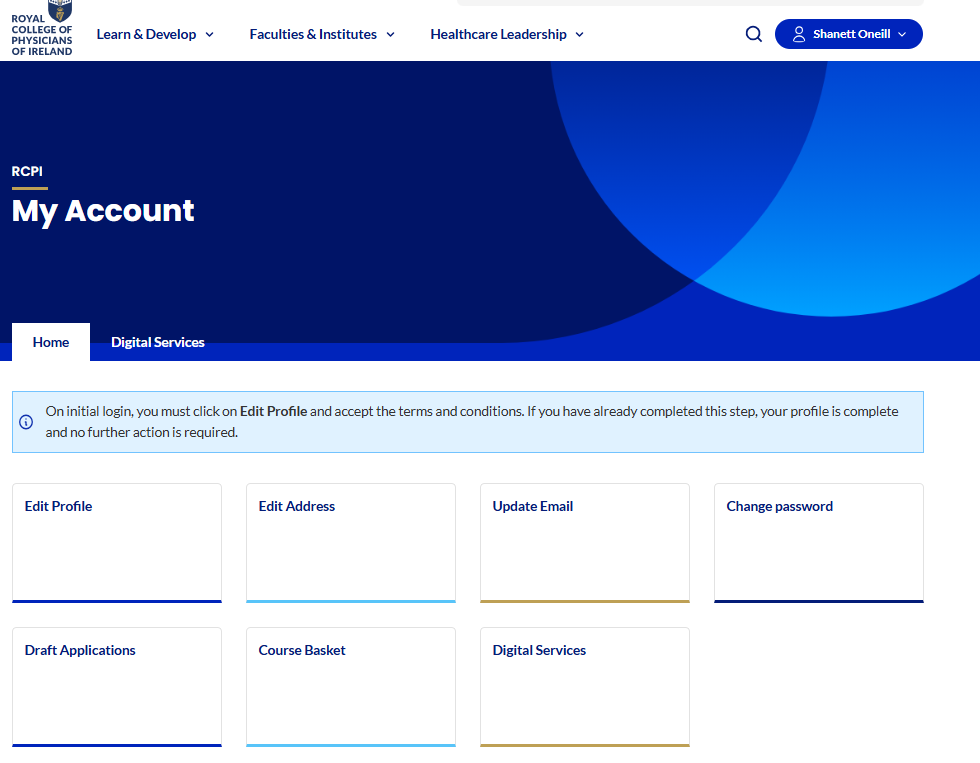
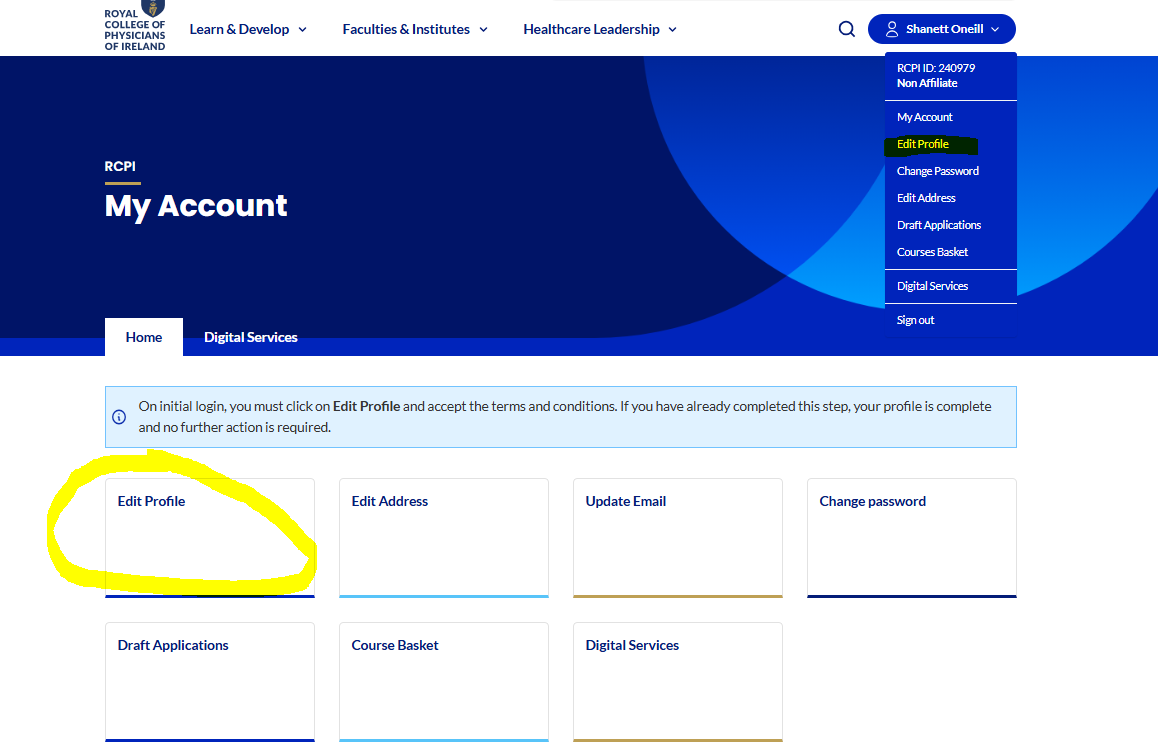
To change your MFA Multi Factor Authentication method you can go to Edit Profile either on the tile or the drop down menu beside your name
Your details are displayed and the editable fields include your choice of MFA method, this will change your MFA method on your next login.
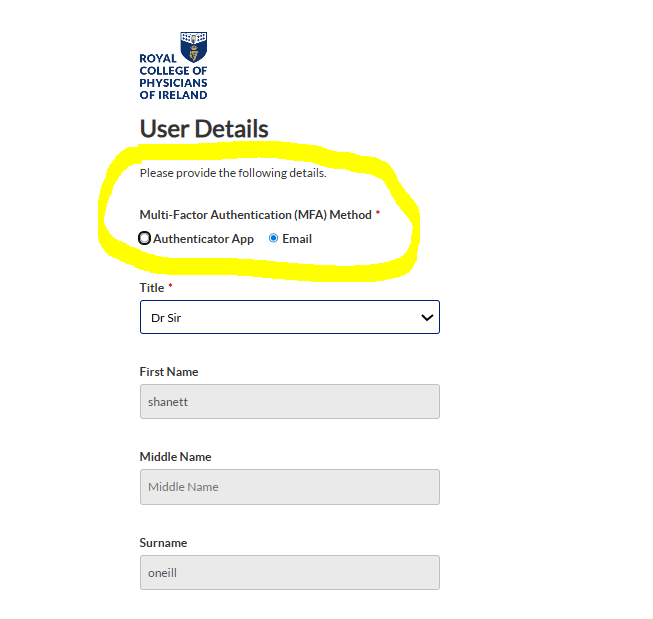
Click Continue at the bottom of the screen to save your changes
For troubleshooting MFA or login issues please visit our Help Centre on RCPI Account & Password Help : RCPI Help Centre
Was this article helpful?
That’s Great!
Thank you for your feedback
Sorry! We couldn't be helpful
Thank you for your feedback
Feedback sent
We appreciate your effort and will try to fix the article